
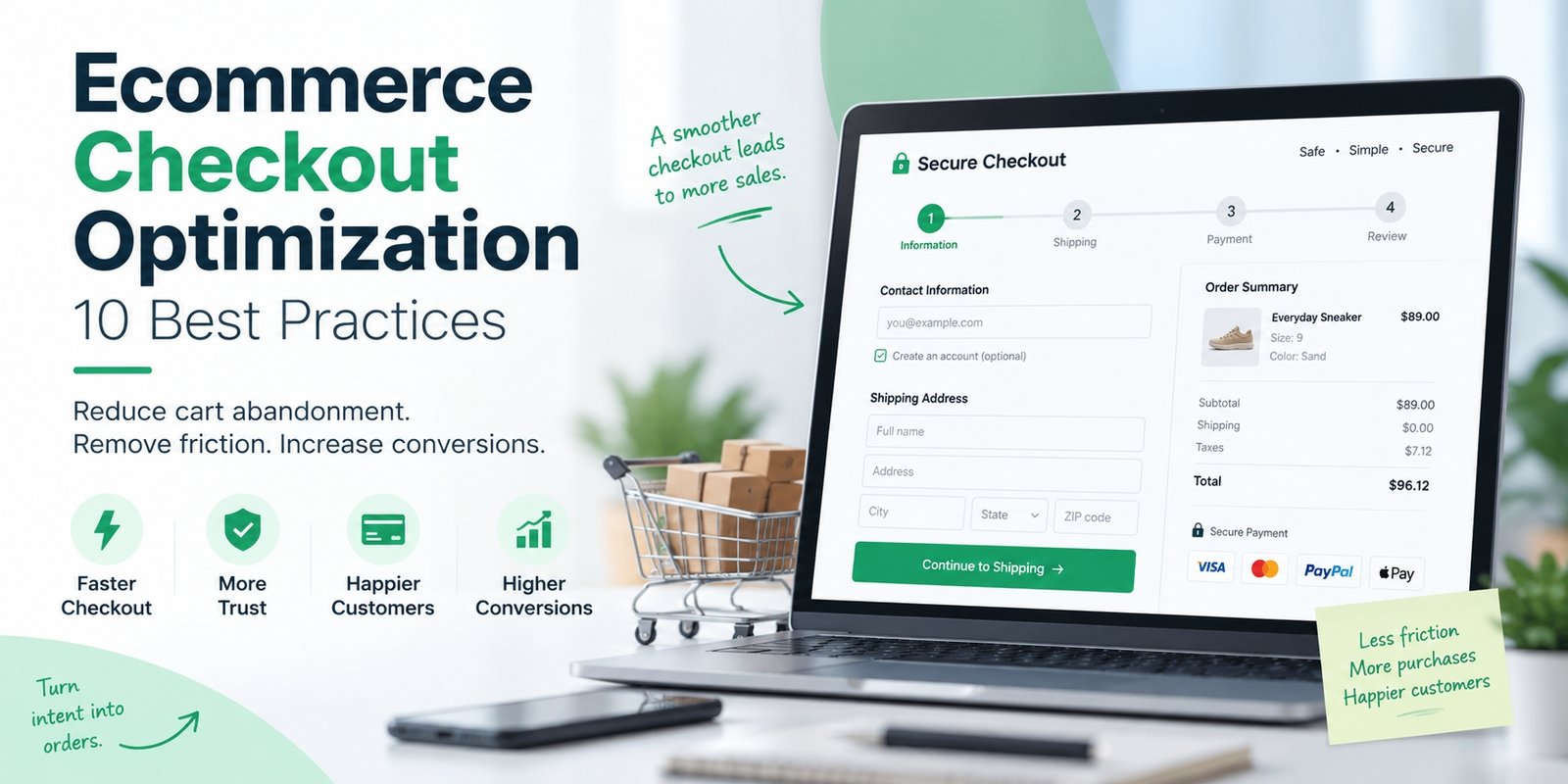
Getting customers to add products to their cart is only half the battle. If the checkout process feels slow, confusing, or expensive, even high-intent shoppers may leave before completing their purchase.
That is why ecommerce checkout optimization matters.
Checkout optimization focuses on removing unnecessary friction between the cart and the final payment. The goal is simple: make it easier for customers who already want to buy to complete their order.
According to Baymard Institute research cited by Shopify, average cart abandonment sits at around 70%, which means checkout improvements can have a meaningful impact on ecommerce revenue.
What Is Ecommerce Checkout Optimization?
Ecommerce checkout optimization is the process of improving the checkout experience to reduce abandonment, increase completed purchases, and make online transactions faster, clearer, and easier for customers.
It can include improving form fields, payment methods, mobile usability, shipping transparency, checkout speed, trust signals, and error handling.
The best checkout is not necessarily the shortest. It is the one that creates the least friction for your customers.
Why Is Checkout Optimization Important?
Customers who reach checkout have already shown strong purchase intent.
They have visited your website, viewed a product, added it to their cart, and decided to move closer to purchasing.
If they leave at checkout, part of the marketing effort that brought them there is wasted.
Improving checkout can help ecommerce businesses:
- reduce cart abandonment
- increase checkout completion rates
- improve mobile conversions
- reduce payment-related friction
- improve customer experience
- generate more revenue from existing traffic
Instead of focusing only on getting more visitors, checkout optimization helps you convert more of the visitors you already have.
10 Ecommerce Checkout Optimization Best Practices
1. Allow Guest Checkout
Forcing customers to create an account before purchasing can create unnecessary friction.
Many shoppers simply want to complete their purchase quickly.
Offering a clear Guest Checkout option allows customers to buy without committing to account creation.
You can always offer account creation after the purchase is complete.
2. Reduce Unnecessary Form Fields
Every extra field adds effort.
Only ask for information that is necessary to process and deliver the order.
Fields such as company name, secondary phone numbers, titles, or unnecessary marketing questions can often be removed or made optional.
Address autocomplete and autofill can also make checkout faster.
A good rule is:
Ask only for what you need, when you need it.
3. Show Costs Clearly
Unexpected costs are one of the biggest sources of checkout frustration.
Customers should understand the total cost before reaching the final payment button.
Show:
Product price + shipping + taxes + additional fees = total cost
If free shipping is available above a certain amount, communicate that early.
For example:
You’re $15 away from free shipping.
Transparency helps customers feel more confident about completing the order.
4. Optimize Checkout for Mobile
Mobile shoppers experience checkout differently from desktop users.
Your mobile checkout should have:
- large, easy-to-tap buttons
- properly spaced form fields
- autofill support
- correct mobile keyboards
- clear error messages
- minimal scrolling
- fast page loading
Test the checkout on real mobile devices rather than relying only on desktop previews.
A checkout that looks fine on desktop can still be frustrating on a phone.
5. Offer Relevant Payment Methods
Customers are more likely to complete checkout when their preferred payment method is available.
Depending on your market, options may include:
- credit or debit cards
- PayPal
- Apple Pay
- Google Pay
- Shop Pay
- buy now, pay later
- local payment methods
More payment methods are not always better.
Focus on the options your actual customers use most often.
6. Make Express Checkout Easy to Find
Digital wallets can reduce the number of steps required to complete a purchase.
Instead of manually entering card and address information, customers may be able to complete checkout with just a few taps.
Express checkout options are particularly useful on mobile.
However, make sure standard checkout is still clearly available so customers do not think a digital wallet is required.
7. Improve Error Messages
Checkout errors should be simple to understand and easy to fix.
Avoid vague messages such as:
Invalid input
Instead, use clear instructions such as:
Please enter a valid 5-digit ZIP code.
Errors should appear beside the relevant field, and previously entered information should remain saved whenever possible.
Customers should only need to fix the problem, not restart the entire checkout.
8. Build Trust at the Right Moment
Checkout is where customers share sensitive information, so trust is important.
Useful reassurance can include:
- secure payment messaging
- clear delivery information
- return or refund policies
- trusted payment logos
- customer support details
Avoid filling the checkout with excessive badges or graphics.
Trust signals work best when they answer a specific concern at the point where the customer might hesitate.
9. Make Shipping and Delivery Clear
Customers want to know two things:
How much will shipping cost?
and
When will my order arrive?
Whenever possible, provide clear delivery estimates.
Instead of:
Standard Shipping
use:
Free Shipping — Estimated Delivery Sep 14–16
Clear delivery expectations reduce uncertainty and make the purchase decision easier.
10. Keep Coupon Fields Subtle
A large discount-code box can unintentionally encourage customers to leave checkout and search for coupons.
Instead of making the coupon field highly prominent, use a smaller expandable option such as:
Have a promo code?
Customers who already have a code can still use it, while other buyers remain focused on completing their purchase.
How to Measure Checkout Performance
Checkout optimization should be based on data, not assumptions.
One of the most important metrics is Checkout Completion Rate.
The formula is:
Completed Purchases ÷ Checkout Starts × 100
For example, if 1,000 customers start checkout and 700 complete their purchase:
700 ÷ 1,000 × 100 = 70% checkout completion rate
You should also monitor:
- cart-to-checkout rate
- payment failure rate
- mobile vs. desktop conversion
- checkout abandonment rate
- conversion by payment method
- conversion by traffic source
Tracking each checkout stage helps you identify where customers are leaving.
Common Checkout Optimization Mistakes
Avoid making changes just because another ecommerce store uses them.
Common mistakes include:
- copying large retailers without considering your own customers
- removing too much information just to shorten checkout
- offering too many payment choices
- ignoring mobile usability
- adding too many trust badges
- changing several checkout elements at the same time
The best checkout decisions come from your own customer behavior and analytics.
Ecommerce Checkout Optimization Checklist
Before making major changes, check that:
- guest checkout is available
- form fields are necessary
- shipping costs are transparent
- delivery estimates are clear
- mobile checkout works smoothly
- relevant payment methods are available
- errors are easy to understand
- checkout pages load quickly
- customer information is preserved after errors
- trust information is visible when needed
You do not need to change everything at once.
Start with the biggest friction point and improve from there.
Final Thought
Effective ecommerce checkout optimization is about removing barriers between purchase intent and payment.
You do not need to redesign the entire checkout at once.
Start by identifying where customers drop off. Then focus on high-impact issues such as guest checkout, unnecessary fields, unexpected costs, mobile usability, payment options, delivery clarity, and checkout errors.
The simpler and more predictable the experience feels, the easier it becomes for customers to complete their purchase.
A strong checkout does not try to impress shoppers.
Frequently Asked Question
What is ecommerce checkout optimization?
Ecommerce checkout optimization is the process of improving the checkout experience to reduce friction and increase the percentage of customers who complete their purchase.
How can I reduce checkout abandonment?
Start by offering guest checkout, reducing unnecessary form fields, showing total costs clearly, improving mobile usability, offering relevant payment methods, and fixing checkout errors.
Is guest checkout better?
For many ecommerce stores, yes. Guest checkout removes the need to create an account before purchase, which can reduce friction for first-time buyers.
Is one-page checkout better than multi-step checkout?
Not always. Both can work well. The better option is the one that makes the purchase process easiest for your customers and produces the highest completion rate.
What is a good checkout completion rate?
There is no universal benchmark because performance varies by industry, product type, device, traffic quality, and customer behavior. It is more useful to track your own checkout completion rate over time and improve it consistently.
How often should checkout be optimized?
Checkout should be monitored continuously. Major changes should be based on analytics, customer feedback, payment issues, and testing rather than assumptions.