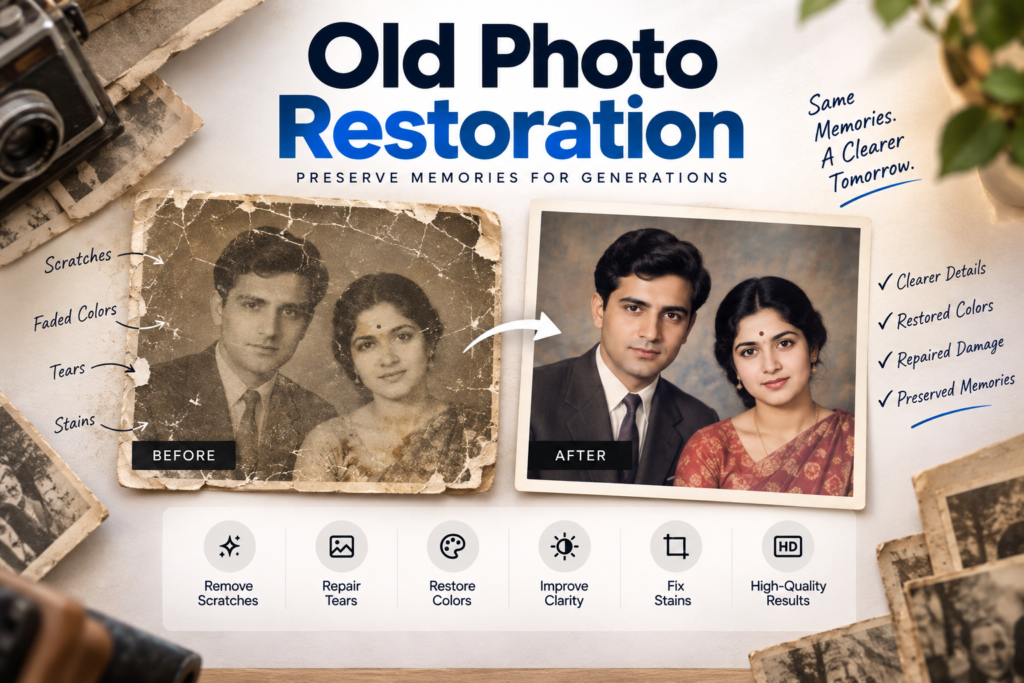
Old photographs hold memories that are often impossible to recreate. Over time, however, printed photos can fade, tear, develop scratches, lose contrast, or become damaged by moisture and poor storage.
That is where Old Photo Restoration becomes useful.
Old Photo Restoration is the process of digitally repairing and improving damaged or aging photographs while preserving the original people, expressions, objects, and memories inside them.
Modern editing tools can repair scratches, improve faded colors, remove stains, sharpen details, rebuild small missing sections, and even colorize black-and-white images.
In this guide, we’ll explain how Old Photo Restoration works, what kinds of damage can be repaired, how AI compares with manual editing, and when professional restoration may be the better option.
Table of Contents
What Is Old Photo Restoration?
Old Photo Restoration involves creating a digital version of an old photograph and carefully repairing visible damage.
Common restoration tasks include:
- Removing scratches
- Repairing tears
- Cleaning dust and stains
- Correcting faded colors
- Improving contrast
- Reducing discoloration
- Sharpening important details
- Fixing damaged backgrounds
- Reconstructing small missing sections
- Improving facial clarity
The goal of Old Photo Restoration should not be to completely redesign the photograph. A good restoration keeps the character of the original image while making it clearer and easier to preserve.
What Types of Old Photos Can Be Restored?
Many types of damage can be improved through Old Photo Restoration.
Faded Photos
Older photographs often lose contrast and color. They may develop yellow, red, orange, or brown tones.
Color correction can restore a more balanced appearance while still keeping the original look of the photograph.
Scratched Photos
Small scratches are often relatively easy to repair using nearby texture from the image.
Deep scratches across important areas such as eyes, faces, text, or clothing usually require more detailed editing.
Torn Photos
Torn photographs can often be digitally reconstructed, especially when both parts of the original photograph are available.
The pieces can be scanned separately, aligned, and repaired.
Stained Photos
Water damage, dust, fingerprints, age spots, and other stains can sometimes be reduced or removed during Old Photo Restoration.
The final result depends on how much original image detail is still visible.
How to Restore Old Photos
A successful restoration starts with a good digital copy.
1. Scan the Original Photo
Use a good-quality scanner whenever possible.
A proper scan usually gives you better:
- Detail
- Sharpness
- Color information
- Lighting
- Alignment
If you do not have a scanner, you can photograph the image using a good phone or camera. Keep the camera directly above the photograph and avoid glare.
2. Keep the Original File
Always save an untouched copy of the original scan.
Create another copy for editing so you can compare your restoration with the original photograph.
3. Identify the Damage
Before editing, check the photograph carefully for:
- Scratches
- Tears
- Dust
- Stains
- Blur
- Fading
- Missing corners
- Fold marks
This makes the Old Photo Restoration process more organized.
4. Repair Physical Damage
Start with visible scratches, tears, and marks.
Healing, cloning, and reconstruction tools can help rebuild damaged sections using nearby details.
5. Correct Brightness and Color
Adjust exposure, shadows, highlights, contrast, white balance, and color tones.
These corrections can make a faded photograph much clearer.
6. Improve Important Details
Use subtle sharpening where needed, especially around faces, clothing, buildings, or meaningful objects.
Avoid excessive sharpening because it can make old photographs look artificial.
AI Photo Restoration vs Manual Restoration
AI has made Old Photo Restoration faster and more accessible.
AI tools can automatically:
- Sharpen faces
- Remove noise
- Correct colors
- Reduce blur
- Remove scratches
- Increase resolution
- Colorize images
For simple photographs, AI restoration can work very well.
However, Artificial Intelligence also has limitations.
When a face is heavily damaged or part of the photograph is missing, AI may create details that were not present in the original image.
For sentimental family photographs, this can be a problem.
Manual Old Photo Restoration gives the editor more control over specific areas and helps preserve identity more accurately.
In many cases, the best result comes from combining AI tools with manual editing.
Can Black-and-White Photos Be Colorized?
Yes.
Black-and-white photographs can be digitally colorized during Old Photo Restoration.
Modern tools can estimate skin tones, clothing colors, backgrounds, and environmental details.
However, colorization is partly interpretive.
Unless historical information is available, software may not know the exact original color of a dress, wall, car, or piece of furniture.
If you know important original colors, provide that information during the restoration process.
Common Old Photo Restoration Mistakes
There are several mistakes to avoid.
Over-Sharpening
Too much sharpening can make skin and facial details look unnatural.
Changing Facial Features
Always compare restored faces with the original image.
AI tools can sometimes change eyes, noses, smiles, hairlines, or face shapes.
Excessive Color
Colorized photographs should usually use natural tones instead of overly bright colors.
Removing Too Much Texture
Not every sign of age needs to disappear.
Some texture helps preserve the original character of the photograph.
Using a Low-Quality Screenshot
Whenever possible, use the original photograph or a high-resolution scan.
Better input usually gives better Old Photo Restoration results.
When Should You Use Professional Old Photo Restoration?
Basic restoration tools are useful for small corrections, but professional editing may be better when:
- The photograph is badly torn
- Important facial features are damaged
- Large areas are missing
- Colors are severely faded
- You want to print the photograph
- The image has significant sentimental value
- AI keeps changing facial details
- Several types of damage appear together
Professional Old Photo Restoration allows an editor to work carefully on individual areas instead of applying one automatic effect across the whole photograph.
CreatorStudio99 offers professional photo restoration and editing services for customers who want damaged, faded, scratched, or aging photographs repaired digitally
Final Thoughts
Old Photo Restoration can help preserve meaningful memories before further damage occurs.
Scratches can be removed, faded colors can be corrected, torn sections can be repaired, and important facial details can be improved.
AI tools make restoration faster, but they should be used carefully because automated enhancement can sometimes change original features.
The best Old Photo Restoration keeps the photograph recognizable, natural, and faithful to the original memory.
If the image is heavily damaged or especially important to your family, professional restoration can provide more precise control and a more natural final result.
Frequently Asked Questions
Can very old photos be restored?
Yes. Many very old photographs can be improved. The final result depends more on the amount of visible detail than the age of the photograph.
Can faded photos be restored?
Yes. Color correction, contrast adjustment, and detailed editing can significantly improve faded photographs.
Can torn photos be repaired?
Yes. Torn photographs can often be scanned, aligned, and digitally repaired.
Can blurry photos be fixed?
Some blur can be reduced, but restoration cannot perfectly recreate information that was never captured in the original image.
Is AI good for Old Photo Restoration?
AI can be useful for quick enhancement and light damage. For heavily damaged or important family photographs, manual editing usually gives better control.